What Is Vibe Coding? The Easiest Way to Build Real Apps With AI
What is Vibe Coding? Imagine telling a computer exactly what you want — in plain English — and watching it build the app for you. That is not a dream anymore. Vibe coding makes it real, and students across the world are already using it to launch projects, portfolios, and products.
Featured Definition
Vibe coding represents a style of software development where you describe your vision in everyday language, while an AI tool generates the actual code. Specifically, you eliminate the need for deep programming knowledge. Instead, you prioritize ideas, creativity, and direction, while the AI manages the technical execution. Consequently, this approach opens app development to students, beginners, and anyone with a vision.
Undoubtedly, vibe coding transforms how people think about technology—and it accelerates that change every day. Specifically, in 2026, millions of students, freelancers, and first-time creators build functional apps without ever studying traditional programming. While this concept sounds almost too good to be true, tools like Cursor, Replit, and Claude empower anyone with a clear idea to become a builder. As a direct result, the barrier between conceptualizing an idea and launching a product has vanished.
In practice, vibe coding empowers users to construct apps and websites by submitting instructions in plain English. Essentially, once you describe your vision, the AI generates the code, and you receive a functional product—all without a programming background. Moreover, this approach dominates as one of the fastest-growing skills for students and beginners in 2026.
To illustrate, consider a scenario where you envision a simple web app to track your daily habits. Historically, you required months of Python or JavaScript classes before developing a single useful feature. Today, by contrast, you simply describe the app to an AI tool and issue specific directions; in response, the tool engineers a functional version in minutes. Ultimately, this shift—from writing code to directing AI—solidifies the core identity of vibe coding.
Underscoring this shift, a 2025 report by Stack Overflow confirms that over 78% of developers now integrate AI coding assistants into their daily workflows. In a similar vein, interest in no-code and AI-assisted development among students aged 16–25 has surged threefold since 2023. Given these statistics, adopting vibe coding serves as a critical requirement for anyone who strives to remain competitive in the modern digital landscape.
Ready to Build Something Real — Starting Today?
Sky Oasis Digital helps students, creators, and businesses grow in the digital world. Whether you need a website, a brand identity, or a social media strategy — our team is ready. Let us build something great together.
What Is Vibe Coding — And Why Everyone Is Talking About It
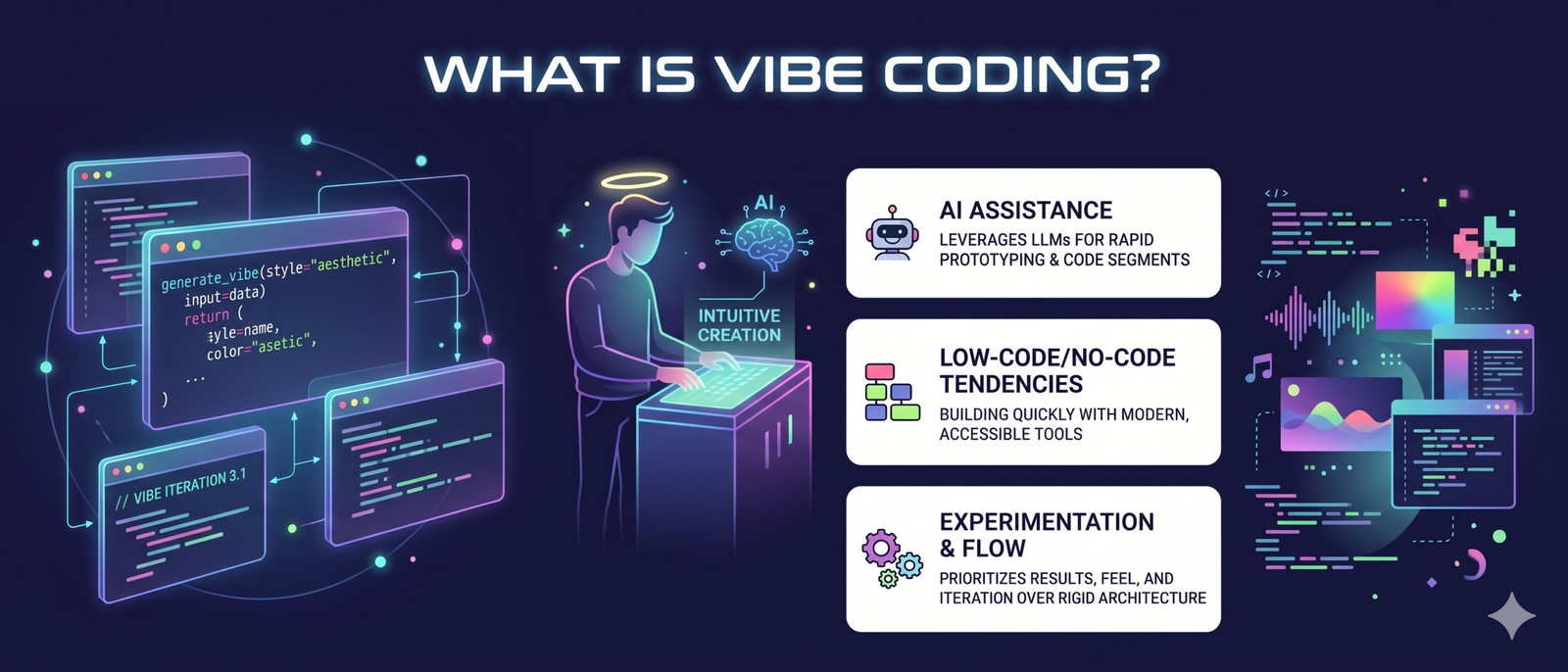
To provide historical context, AI researcher Andrej Karpathy pioneered the term “vibe coding” in early 2025. Through this lens, he proposes a radical programming paradigm where developers “give in to the vibes”—an approach that replaces meticulous technical management with a relentless focus on final outcomes. Operationally, you articulate your vision while the AI engineers the codebase, allowing you to iterate on the product until it achieves peak functionality.
In contrast to traditional no-code platforms like Wix or Squarespace—which confine users to rigid, pre-built templates—vibe coding unlocks unparalleled flexibility. Moreover, this methodology surpasses the limitations of static drag-and-drop interfaces. Instead, you architect sophisticated, custom applications—perfectly aligned with your strategic vision—by authoring nothing but natural language instructions.
Why does this matter right now? Ultimately, the barrier between conceptualizing a great idea and constructing it has vanished. As a result, students who once faced exclusion from the tech world now possess a clear path to entry. Moreover, businesses that previously lacked the budget for developers now build custom internal tools independently. This shift transforms the playing field, and vibe coding drives this revolution.
Vibe coding does not replace good thinking or problem-solving. However, it removes the technical bottleneck that used to stop great ideas from becoming real products. Your ideas become your superpower.
How Vibe Coding Works — Step by Step
Grasping the mechanics of vibe coding builds the foundation for a confident start. Remarkably, the process remains straightforward, with most beginners achieving a functional result in under an hour. To navigate this transition, consider the typical workflow:
- Define your idea clearly. To begin, the desired application is described using plain English instructions. Ideally, a high level of clarity is maintained so that the vision is accurately captured by the AI. For instance, a request might be phrased as: “A simple to-do list app is required, featuring a dark theme and a functional button for task completion.”
- Choose an AI coding tool. Open a platform like Cursor, Replit AI, v0 by Vercel, or Claude. These are the most popular tools for AI coding for beginners in 2026.
- Type your instruction (called a “prompt”). Once the prompt is ready, the idea is pasted into the interface and submitted. Immediately, the instructions are processed by the AI, and the code is generated automatically. Through this automation, the technical architecture is established without any manual coding.
- Review and test what it built. Following the generation, an immediate preview of the result is provided by most platforms. At this stage, the layout and functionality are evaluated to ensure alignment with the original vision. If discrepancies are identified, the project is flagged for further refinement.
- Refine with follow-up prompts. Whenever adjustments are required, corrective instructions are simply submitted to the interface. For instance, a request such as “the button should be changed to blue” or “a search bar should be integrated” is provided, prompting an automatic update of the codebase. Through this iterative cycle, the application is refined until all requirements are met.
- Export or publish your project. Once happy, you can share the link, download the files, or deploy your app live — often with one click.
The entire process is conversational.
Therefore, it feels more like chatting with a smart colleague than operating complex software. Additionally, there is no right or wrong way to phrase your prompt — the AI handles the interpretation.
How to Start Vibe Coding Today — A Beginner’s First Session
Getting started with vibe coding takes less than 10 minutes. You do not need to install anything complicated or create a developer account. Here is a practical walkthrough that works for total beginners:
First, visit Replit.com or v0 by Vercel — both offer free tiers and are built specifically for AI coding for beginners. Next, look for the “AI” or “Generate” button. Then type a description of what you want to build — start small. A calculator, a quiz app, or a simple landing page all work great for a first project.
After the AI generates your project, click “Run” or “Preview” to see it live. Importantly, do not worry if it is not perfect. Moreover, that is actually part of the process. Refine it with follow-up messages. Say “add a title,” or “change the colors to blue and white.” Each message improves the result.
Spend 5 minutes writing your app idea on paper before touching the AI tool. The more detailed your written description, the better your first result will be. Think about: What does it do? Who uses it? What should it look like?
Best AI Tools for Vibe Coding in 2026
Choosing the right tool matters. Different platforms suit different goals, so here is a clear breakdown of the most popular options. Each one qualifies as a no code AI app builder in its own way:
| Tool | Best For | Free Tier | Skill Level | Standout Feature |
|---|---|---|---|---|
| Cursor | Full app development | Yes (limited) | Beginner – Intermediate | AI inside a real code editor |
| Replit AI | Quick projects & learning | Yes | Complete beginner | Run code instantly in browser |
| v0 by Vercel | UI and web design | Yes | Beginner | Beautiful React components from text |
| Claude (Anthropic) | Complex logic & explanations | Yes | All levels | Strong reasoning + long context |
| Bolt.new | Full-stack app in minutes | Yes (limited) | Beginner – Intermediate | Deploy-ready apps instantly |
| GitHub Copilot | Code suggestions in editor | No (paid) | Intermediate | Deep IDE integration |
For students just starting out, Replit and v0 are the friendliest entry points. Furthermore, both have active learning communities and tutorial libraries. Sky Oasis Digital also provides digital training resources at skyoasisdigital.com for those wanting structured digital skills development.
Quick Knowledge Check — Test What You Have Learned
Real-World Uses of Vibe Coding — What Students Are Building
To truly grasp the impact of this trend, one must witness vibe coding in action. Specifically, across universities, colleges, and online communities, students now employ AI tools to complete real projects in hours instead of months. To illustrate this shift, consider some of the most common real-world uses:
- Portfolio websites: Students describe their skills and projects, and the AI builds a professional portfolio site — complete with responsive design and contact forms.
- Study tools: Flashcard apps, quiz generators, and timetable planners have all been built using vibe coding by students with zero prior programming experience.
- Small business tools: Young entrepreneurs use AI coding for beginners to build booking forms, product catalogues, and simple e-commerce pages for local businesses.
- Social cause projects: Many students build awareness pages, donation trackers, and community tools to support causes they care about — without needing to hire developers.
- Prototype pitches: When entering a competition or presenting an idea to investors, students use vibe coding to create a working demo in days, not weeks.
Meanwhile, in the professional world, startup founders use vibe coding to test product ideas before investing in a full development team. Therefore, understanding how to build an app with AI is rapidly becoming a core business skill — not just a tech one.
Benefits and Limitations of Vibe Coding — An Honest Look
Speed: Build working prototypes in hours. Accessibility: No coding background required. Learning: Seeing AI-generated code teaches you how things work. Cost: Most tools have free tiers — you can start for nothing. Confidence: Finishing a real project boosts your belief in what you can achieve.
Quality gaps: AI sometimes writes code that works but is messy or inefficient. Understanding lag: If you do not learn why something works, fixing errors is harder. Complex apps: Very large or sensitive systems still need experienced developers. Dependency risk: Over-relying on AI without learning basics can limit your growth. Security: AI-generated code should be reviewed before handling sensitive user data.
Expert Tips for Getting the Most Out of Vibe Coding
- Start with one feature. Do not try to build the full app at once. Focus on one small piece, test it, then expand. This prevents overwhelm and produces cleaner results.
- Be specific in your prompts. “Build a login page with email and password fields, a blue submit button, and a forgot password link” works far better than “make a login page.”
- Ask the AI to explain its code. Type “explain what this code does in simple terms” after any generation. This is one of the fastest ways to learn while building.
- Save your prompts. Keep a personal library of prompts that worked well. Over time, you develop a personal toolkit that makes future projects faster.
- Test on mobile immediately. Ask the AI to make everything mobile-friendly from the start. Fixing responsiveness later is harder than building it in from day one.
- Use version control early. Even if you do not fully understand GitHub, connect your project to a repository. It acts as a safety net if something breaks.
- Join a community. Platforms like Replit, Discord, and Reddit have active vibe coding communities where beginners share prompts, tips, and projects daily.
Vibe Coding vs Traditional Coding — Key Differences
| Factor | Vibe Coding | Traditional Coding |
|---|---|---|
| Learning curve | Hours to get started | Months to years |
| Language required | Plain English | Python, JS, etc. |
| Speed of first project | Same day | Weeks to months |
| Customisation level | High (with good prompts) | Unlimited (with skill) |
| Code quality control | Dependent on AI | Fully in your hands |
| Best for | Beginners, prototypes, MVPs | Complex, large-scale systems |
| Cost to start | Free or very low | Free (but time-heavy) |
Importantly, these two approaches do not oppose each other; instead, they complement one another perfectly. In fact, many professional developers now integrate vibe coding to accelerate their workflow. Simultaneously, many vibe coders gradually absorb fundamental programming knowledge through the process. Consequently, beginning with vibe coding enhances rather than hinders your path to becoming a traditional developer.
Frequently Asked Questions About Vibe Coding
Group 1 — Understanding the Basics
Group 2 — Understanding the Basics
Group 3 — Tools and Getting Started
Group 4 — Tools and Getting Started
Group 5 — Learning and Future Prospects
References & Sources
- Andrej Karpathy — Original Vibe Coding post, X (Twitter), February 2025
- Stack Overflow Developer Survey 2025 — AI tool usage statistics
- Replit — AI-powered browser coding platform
- v0 by Vercel — AI component and UI generator
- Cursor — AI code editor for developers and beginners
- Bolt.new — Full-stack AI app builder
- Claude by Anthropic — AI assistant and code generator