Google Opal — The Complete Guide to No-Code AI App Building in 2026
Google Opal is a no-code AI mini-app builder from Google Labs that allows students, marketers, and small business owners to create, customize, and share AI-powered applications using plain natural language — no programming required. Powered by Gemini, it converts text prompts into fully functional visual workflows in minutes.
What Is Google Opal and Why Does It Matter?
Google Opal is an experimental, no-code AI application builder launched by Google Labs in July 2025. It fundamentally changes who can build AI-powered tools — shifting that ability from developers to everyone. Whether you are a marketing specialist automating content workflows, a student generating research reports, or a small business owner building a custom lead qualifier, Opal makes AI app development genuinely accessible.
The tool works by letting you describe an app in plain language. Opal then converts that description into a visual, multi-step workflow that you can inspect, edit, and share — all without writing a single line of code. It is deeply integrated with Google Workspace, meaning outputs can flow directly into Google Docs, Sheets, Slides, or Drive.
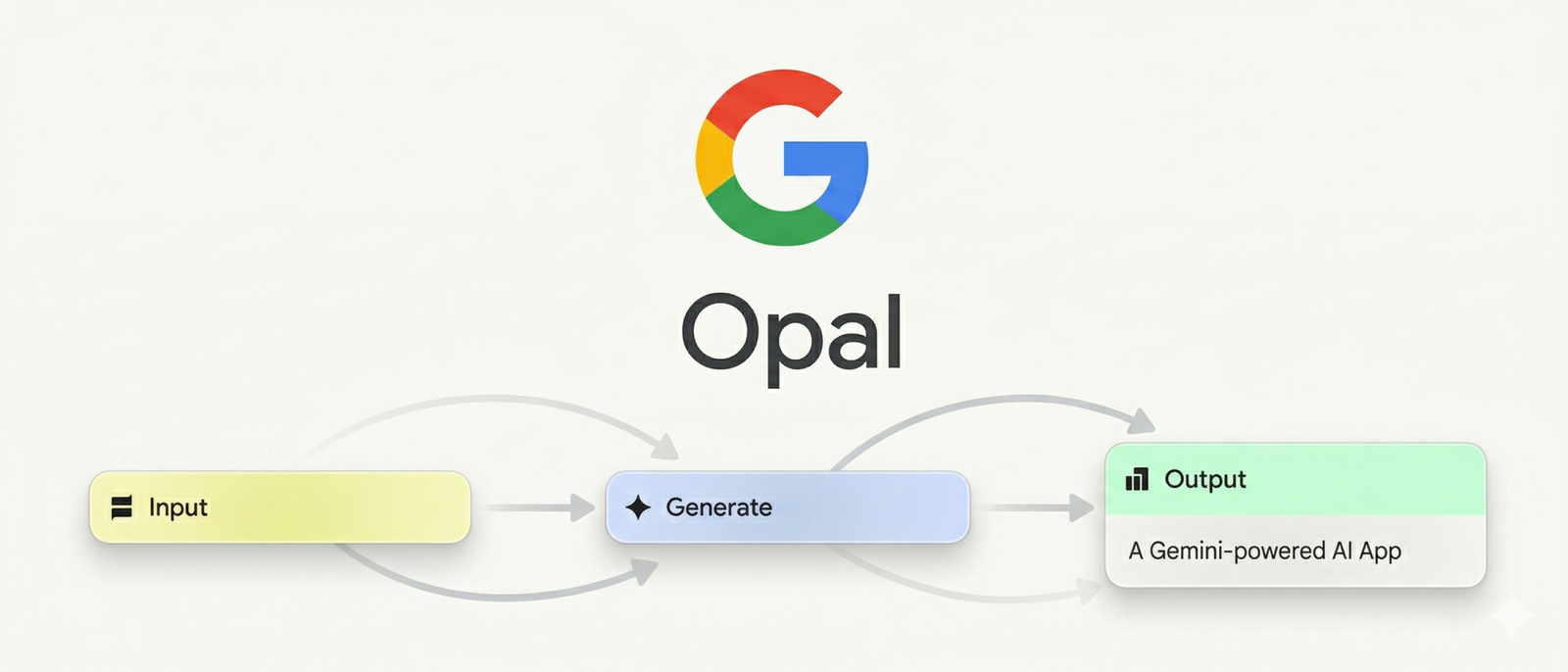
As of early 2026, Google Opal is available in over 160 countries, completely free during its public beta phase. You only need a Google account to access it via Google Labs or the Gemini web app.
How Google Opal Works: From Prompt to Functional App
Understanding the mechanics of Opal helps you use it more strategically. The process is straightforward, yet the capabilities underneath are sophisticated. Here is how the platform turns your ideas into working AI applications.
Step 1 — Describe Your App in Natural Language
You begin with a conversational prompt. You might type something like: “Build me a tool that takes a product name, generates a marketing description, and outputs a formatted Google Doc.” Opal processes this instruction and translates it into a structured workflow automatically.
Step 2 — Opal Builds a Visual Workflow
The platform then constructs a multi-step flow — visually laid out as connected nodes — showing inputs, AI generation steps, and output stages. This visual editor gives you fine-grained control over every stage without requiring programming knowledge.
Step 3 — Edit, Remix, and Refine
You can click into any step to adjust its instructions, swap AI models, or add new functionality. The February 2026 agent step update added agentic intelligence, meaning the workflow can now autonomously plan its next action, ask users for clarification, and adapt dynamically — powered by the Gemini 3 Flash model.
Step 4 — Share Instantly
Once your app is ready, you share it via a single link — similar to sharing a Google Doc. Recipients can use the app immediately with their own Google account. Opal handles all hosting automatically; no server setup is required.
Google Opal Key Features in 2026
Opal has evolved significantly since its July 2025 launch. The platform now packs a range of capabilities that make it competitive against established no-code automation tools.
No-Code Workflow Builder
Chain multiple AI operations together visually. Build complex, multi-step apps without touching a line of code.
Agentic AI Step
The Gemini 3 Flash-powered agent autonomously plans tasks, selects tools, and asks users for input when needed.
Google Workspace Native
Output directly to Google Docs, Sheets, Slides, or Drive — no copy-paste required.
Multi-Model Support
Access Gemini for text, Imagen for image generation, and Veo for video creation — all in one workflow.
Session Memory
Opal apps can now remember user preferences, names, and content across sessions for a personalized experience.
Dynamic Routing
Define multiple conditional paths. The agent automatically selects the right branch based on real-time logic.
Real-World Use Cases: Who Benefits from Google Opal?
Google Opal is purpose-built for three groups who traditionally lack access to AI development: students, small business owners, and digital marketing professionals. Consequently, each of these audiences can extract meaningful, practical value from the platform right now.
For Students and Educators
Students can build AI research assistants that pull information, structure it, and export it to Google Docs — dramatically reducing the time spent on initial research. Educators, meanwhile, can create custom quiz generators, personalized feedback tools, or interactive learning aids, all without any technical background.
- Build a YouTube transcript summarizer for lecture reviews
- Create a citation formatter that outputs to Google Docs
- Design an AI study planner that adapts to exam schedules
- Generate branded project presentations in Google Slides automatically
For Small Business Owners
Small businesses often lack the resources to hire developers for custom AI tooling. Opal removes that barrier entirely. A business owner can build a customer inquiry classifier, a product description generator, or a competitor research summarizer — and deploy it within the same afternoon.
- Automate social media caption writing across multiple products
- Build a business profiler that generates competitive intelligence reports
- Create a customer onboarding assistant using Google Sheets as memory
- Develop a pricing sheet generator that exports directly to Sheets
For Digital Marketing Specialists
Marketing teams can leverage Opal to automate high-volume, repetitive content tasks while preserving creative quality. The deep Google Workspace integration means generated assets flow directly into existing production pipelines — without switching tools or exporting files manually.
- Build an SEO content brief generator powered by Gemini
- Create a video hooks brainstormer with persistent brand memory
- Automate marketing copy variations for A/B testing at scale
- Build an ad performance summarizer that reads data from Google Sheets
Google Opal: Benefits and Current Limitations
No tool is perfect, and understanding both sides of Google Opal’s capabilities will help you make an informed decision about how to use it in your workflows.
Key Benefits
- Zero coding barrier — natural language is the only skill you need to start building.
- Google ecosystem depth — seamless integration with Docs, Sheets, Slides, and Drive gives it an edge for teams already using Google Workspace.
- Multi-model access — Gemini, Imagen, and Veo in a single workflow removes the need for multiple separate tools.
- Agentic intelligence — the February 2026 agent update allows Opals to self-correct, remember preferences, and route dynamically.
- Free during beta — accessible to individuals and small teams at no cost while the product matures.
Current Limitations to Be Aware Of
- Opal is still experimental, meaning occasional glitches and unexpected outputs are part of the experience.
- Deeply nested conditional logic can be challenging; the tool excels at linear and semi-linear workflows.
- AI model responses can vary slightly between runs, requiring apps to tolerate minor output differences.
- Enterprise-grade governance and advanced security features are still on the roadmap.
- The tool’s ecosystem remains primarily Google-centric, with limited third-party integrations outside Workspace.
Opal shines brightest when you need to automate multi-step AI tasks within the Google ecosystem. For simple, single-model tasks, a standalone AI tool may be faster. For complex, chained workflows involving documents, spreadsheets, or presentations, Opal is genuinely hard to beat at its price point.
How Google Opal Compares to Other No-Code AI Builders
The no-code AI app building space is growing rapidly. Understanding how Opal positions itself helps you choose the right tool for your specific needs. The table below summarizes key differentiators based on publicly available information.
| Feature | Google Opal | General No-Code AI Tools |
|---|---|---|
| Coding Required | None | Varies (often basic logic) |
| Google Workspace Integration | Deep Native | Limited or via connectors |
| Agentic Workflows | Yes (Feb 2026) | Emerging in select tools |
| Multi-Model AI Access | Gemini + Imagen + Veo | Usually single-model |
| Session Memory | Available | Varies by platform |
| Pricing | Free Beta | Freemium to paid tiers |
| Global Availability | 160+ countries | Varies by platform |
How to Get Started with Google Opal Today
Getting started is genuinely straightforward. The process takes less than five minutes and requires nothing beyond a Google account.
- Access Opal — Navigate to Google Labs (labs.google) or open the Gemini web app, where Opal is now embedded directly.
- Choose a template or start fresh — Opal’s gallery of pre-built apps is an excellent starting point for understanding what is possible.
- Describe your app — Type a clear, specific description of what you want your app to do. The more context you provide, the better Opal’s initial workflow will be.
- Inspect and refine the workflow — Review each step in the visual editor, adjust prompts, and add or remove tools as needed.
- Test thoroughly — Use the built-in App preview and Console to run through your workflow and catch any issues before sharing.
- Share via link — Click “Share app” and distribute the link to your audience, team, or clients.
Frequently Asked Questions About Google Opal
These are the most common questions people ask about Google Opal — optimized to give you direct, clear answers.
Google Opal is a no-code AI mini-app builder from Google Labs that lets anyone create, edit, and share AI-powered applications using natural language prompts and a visual workflow editor. No programming skills are required. It is available via Google Labs and the Gemini web app.
Yes. Google Opal is completely free during its public beta phase. All you need is a Google account to access it. Google has not announced a paid tier as of April 2026, though pricing structures may be introduced as the product moves beyond beta.
Opal’s primary differentiation lies in its native Google Workspace integration, its multi-model AI stack (Gemini, Imagen, Veo), and its agentic workflow capability introduced in early 2026. For teams already working within Google’s ecosystem, this depth of integration is difficult to replicate with third-party automation tools.

Leave a Reply