Google Stitch
The AI UI Design Tool
Transforming How We Build Interfaces
Google Stitch is the AI-powered UI design tool that is fundamentally rethinking how interfaces are built. What once required mastery of tools like Figma or Sketch, deep design knowledge, and countless hours of iteration can now be accomplished in seconds — and Google Stitch is at the center of that transformation.
Google Stitch is the AI-powered UI design tool developed by Google Labs that lets anyone describe an interface in plain language and receive a high-fidelity, interactive design within seconds. Since its debut at Google I/O 2025 and its sweeping March 2026 update, the Google Stitch tool has evolved from a promising experiment into a capable platform for rapid UI ideation, prototyping, and front-end code export.
Whether you are a design student building your first portfolio piece or a product professional trying to validate ideas before handing off to engineers, understanding what Google Stitch is — and what it is not — is increasingly essential knowledge. This guide covers the tool’s core features, real-world use cases, known limitations, and ethical best practices.
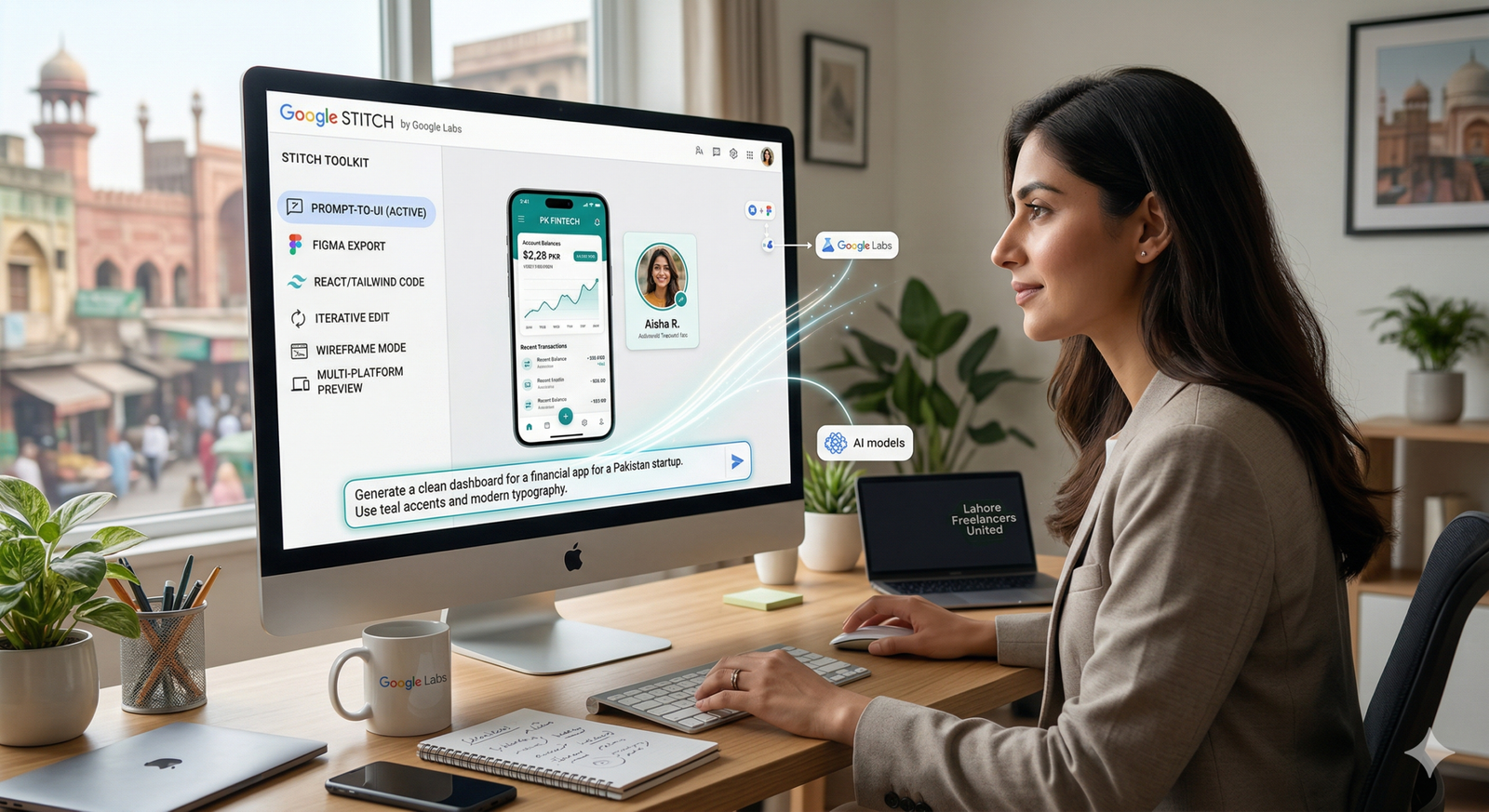
Google Stitch AI-native infinite canvas — generating high-fidelity UI from natural language. Source: Google Developers Blog & Google Labs
Topics Covered in This Guide
What Is Google Stitch?
Google Stitch is an AI-powered UI design platform created by Google Labs. At its core, it accepts a text prompt, an image, a sketch, or a voice description as input and generates polished, high-fidelity user interface designs for web and mobile applications — within seconds. It is completely free to use and requires only a standard Google account, with no subscription, credit card, or installation required.
Beneath the surface, the Google Stitch tool is powered by Google’s Gemini model family. As of March 2026, the platform is built on Gemini 3 Flash and Gemini 3.1 Pro. Users can choose between fast generation and higher-fidelity, contextually nuanced outputs depending on their needs and the complexity of the interface they are designing.
Origins and Google Labs Context
Stitch’s technical foundation was laid in 2022, when the founders of the Galileo AI startup were among the first to believe that anyone would be able to create beautiful user interfaces from a simple prompt. In May 2025, Google Labs integrated the project into its ecosystem, giving the tool direct access to the cutting-edge Gemini model family and a far wider user base.
Because it sits under Google Labs, features may change without notice and the long-term form of the product has not been publicly guaranteed. For students and professionals alike, this context matters: the Google Stitch tool is currently best treated as a powerful rapid-ideation platform rather than a production-critical dependency.
Key Google Stitch Features in 2026
The March 2026 update evolved Stitch into an AI-native software design canvas that allows anyone to create, iterate, and collaborate on high-fidelity UI from natural language. Five major additions were introduced alongside a complete redesign of the Stitch user interface. Below is a structured breakdown of the Google Stitch features that matter most for practical use.
An infinite workspace that accepts images, text, and code simultaneously. The design agent tracks the full project context and manages parallel design explorations via the Agent Manager.
Describe a feeling or business objective in plain language — Stitch generates multiple high-fidelity visual directions that interpret your intent instead of requiring a wireframe first.
Speak directly to the design environment. The Gemini Live-powered agent listens, critiques, and makes real-time design updates from natural voice commands.
Stitch screens together in seconds and click Play to preview full user journeys. The AI can auto-generate the next logical screen based on context and click interactions.
An agent-friendly markdown format for exporting and importing design rules across projects and tools. Extract a design system from any live URL in seconds.
Export clean HTML, CSS, and React code. Connect to AI coding agents like Cursor, Gemini CLI, and Google AI Studio via MCP server for a seamless design-to-development workflow.
AI Model Options in Google Stitch
Stitch offers four generation modes: 3 Flash — the main mode for fast designs powered by Gemini 3.0 Flash; Thinking with 3.1 Pro — for maximum quality and depth; Redesign — upload a screenshot of an existing app or website, and Stitch redraws it in a new style; and Ideate — a brainstorming mode where you describe a problem and receive visual solution options.
Google Stitch Use Cases: Students and Professionals
The Google Stitch use cases differ meaningfully between students learning design and professionals working within existing product teams. Understanding which workflows the tool genuinely accelerates — and which it does not yet replace — is essential for using it effectively and responsibly.
For Students: Learning, Portfolio Building, and Rapid Prototyping
For design and computer science students, the Google Stitch tool removes one of the most significant barriers to UI/UX learning: the steep time cost of tool mastery. A student who has never opened Figma can generate a polished, multi-screen mobile app prototype within a single study session. This makes Google Stitch particularly valuable in the following scenarios.
- Portfolio building: Generate multiple high-fidelity concept screens quickly, then refine them manually for personal showcase projects.
- Hackathons and capstone projects: Rapid UI ideation during time-constrained events where speed matters more than pixel-perfect precision.
- Learning design principles: Study Stitch’s outputs — layout hierarchy, spacing, component choices — to develop visual literacy through practical example.
- User research preparation: Create quick interactive prototypes for usability testing without needing developer support.
- Cross-disciplinary projects: Business, marketing, and engineering students who need a polished UI without a dedicated designer on the team.
For Professionals: Accelerating the Design Process
Within professional product teams, the most credible Google Stitch use cases are in the early and exploratory phases of the design process. Specifically, the tool excels at these high-value scenarios.
- Design sprints: Generate dozens of visual directions in hours rather than days, then present options to stakeholders before committing to one.
- Client pitches and concept validation: Show a clickable concept prototype before any engineering resources are allocated.
- Bridging design and development: Export HTML/CSS directly, or connect via MCP to coding agents for a shorter design-to-code handoff.
- Solo founders and small teams: Individuals who need professional-looking UI without a dedicated design hire.
- Design system extraction: Easily extract a design system from any URL to understand or replicate visual patterns for research and analysis.
Expert Note: The most effective professional use of Google Stitch today is in the divergence phase of design — when teams need to explore many directions quickly before converging on one. It is not yet a substitute for the high-precision convergence work that mature tools like Figma handle in production design workflows.
How Google Stitch Compares to Other AI Design Tools
Google Stitch does not exist in isolation. Several other AI-powered design platforms address similar problems, and understanding the distinctions is important for choosing the right tool for a given context — and for knowing when to combine them.
| Tool | Primary Strength | Best For | Pricing |
|---|---|---|---|
| Google Stitch | AI-native canvas, vibe design, voice input | Early ideation, rapid prototyping | Free |
| Figma + AI plugins | Precision, collaboration, production design | Full product design lifecycle | Freemium / paid |
| Lovable | Full-stack app scaffolding, vibe coding | Founders building full products | Freemium / paid |
| UX Pilot | Wireframe-to-UI, connected user flows | Structured UX design, client presentations | Paid from $15/mo |
| Framer | Web design and publishing in one tool | Marketing sites, portfolios | Freemium / paid |
The most meaningful distinction is between Google Stitch and Figma. Figma remains the industry standard for production-grade design work because of its precision controls, real-time multi-user collaboration, and deep plugin ecosystem. Google Stitch, by contrast, is considerably faster for early exploration but currently lacks the collaborative features that make Figma central to most professional design teams. Rather than replacing Figma, the Google Stitch tool currently occupies an earlier position in the workflow — helping teams arrive at a strong design direction before moving into Figma for refinement and handoff.
Best Practices for Using Google Stitch Effectively
Getting the most from the Google Stitch features requires a deliberate approach. The quality of outputs scales directly with the quality of inputs, and understanding where the tool excels will help both students and professionals build productive workflows around it.
Write Specific, Contextual Prompts
Vague prompts produce generic outputs; specific, contextual prompts produce usable starting points. Instead of “a banking app dashboard,” try: “a personal finance dashboard for millennials — dark theme, minimal typography, emphasizing monthly spending categories and savings goals.” The more context you provide about the user, the emotional tone, the business goal, and visual references, the more relevant the generated interface will be.
Use Voice Canvas for Early Exploration
Voice capabilities allow you to speak directly to the canvas. The agent can give real-time design critiques, design a new landing page by interviewing you, and make real-time updates — like “give me three different menu options” or “show me this screen in different color palettes” — as you speak. For the earliest phase of a design session, this is considerably faster than typing.
Treat AI Output as a Starting Point
One of the most important best practices for using the Google Stitch tool is maintaining clear expectations about the nature of AI-generated design. Components may not always align perfectly. Color systems can drift from brand guidelines. Stitch accelerates the early stages of design; it does not eliminate the judgment and craft that skilled designers bring to the convergence phase.
Leverage DESIGN.md for Brand Consistency
If you are working on a project with established brand guidelines, invest time in creating a thorough DESIGN.md file that captures your color system, typographic rules, and component preferences. Importing this file into new Stitch projects lets you apply your design system to a different project without rebuilding from scratch every time you start.
Export and Test Prototypes Early
Use the interactive prototyping capability to share clickable flows early in the process. Running them with real users informally will surface usability issues long before engineering resources are involved — this is one of the highest-leverage uses of Google Stitch for any team.
Known Limitations of the Google Stitch Tool
An honest assessment of any AI tool requires clear disclosure of its limitations. Google Stitch is genuinely impressive in certain scenarios, but the following constraints are important for both students and professionals to understand before building workflows around it.
- Experimental status: As a Google Labs product, Stitch has no guaranteed long-term availability, pricing stability, or feature continuity. Building critical workflow dependencies on it carries real risk.
- No real-time collaboration: Unlike Figma, Stitch is currently a single-user tool. Teams cannot work simultaneously on the same canvas, which limits its utility in collaborative environments.
- Output inconsistency: Complex layouts, multi-state components, and precise brand-color adherence can produce inconsistent results that require significant manual correction.
- No built-in version control: There is no native version history or branching system comparable to what professional teams rely on in production design workflows.
- Design judgment not included: Stitch generates options; it does not evaluate them. Understanding what is wrong with a generated layout still requires human design expertise.
- Exported code quality varies: Complex interactions and responsive behavior may still require significant developer refinement after export.
- Generation limits: Gemini 2.5 Flash supports up to 350 generations per month, while Gemini 2.5 Pro supports up to 50 generations per month — heavy users may find these caps restrictive.
Ethical Considerations When Using Google Stitch
Using AI-powered design tools raises legitimate questions about intellectual property, attribution, and professional responsibility. For students and professionals working with Google Stitch, several ethical considerations deserve deliberate attention.
Design Attribution and Originality
When Google Stitch generates a UI, it draws on patterns learned from vast amounts of existing design work. The outputs are not direct copies, but they are also not fully original creations in the traditional sense. When presenting Stitch-generated designs in portfolios or to clients, transparency about the role of AI in the process is an ethical expectation — and increasingly a professional one.
Accessibility in AI-Generated Interfaces
AI-generated UIs may not always meet accessibility standards (WCAG 2.1 AA) automatically. Color contrast ratios, keyboard navigation, and screen reader compatibility all require explicit human review and validation. Do not assume that because a design looks polished, it is accessible. Always evaluate Google Stitch outputs against established accessibility guidelines before using them with real users.
Data Privacy in Design Prompts
When using Stitch in professional contexts, be thoughtful about what information you include in prompts. Proprietary product details, user research data, or confidential business logic should not be pasted into any third-party AI tool without understanding and accepting the applicable data handling and privacy policies.
Conclusion: Where Google Stitch Fits Today
Google Stitch represents a genuinely significant shift in how designers — and non-designers — can approach the earliest stages of product thinking. By lowering the barrier to high-fidelity visual exploration, it extends access to rapid UI prototyping to students, founders, and cross-functional teams who previously lacked the tools or training to produce professional-looking interface concepts on demand.
At the same time, it is important to use the Google Stitch tool with clear-eyed honesty about what it currently is: a powerful, free, AI-native ideation platform that excels at divergent exploration and rapid prototyping, but that does not yet match the precision, collaboration, or production readiness of mature design tools for the convergence phase of professional work.
For students, it is an extraordinary learning accelerator and portfolio-building resource. For professionals, it is a valuable front-end to existing workflows — not a replacement for them. As Google Labs continues to iterate, staying informed about developments in the Google Stitch features landscape is worthwhile for anyone working at the intersection of design and technology.
Frequently Asked Questions About Google Stitch
Is Google Stitch free to use?
Yes. Google Stitch requires only a Google account and is currently available at no cost, with no usage caps or subscriptions. As a Google Labs product, however, this could change as the tool matures into a more fully supported product.
Do I need design experience to use Google Stitch?
No prior design experience is required to generate outputs. However, understanding basic design principles significantly improves your ability to write effective prompts and evaluate the quality of what Stitch produces.
Can Google Stitch export code for developers?
Designs can be exported to Figma, Google AI Studio, Google Jules, or downloaded as raw HTML, CSS, and React code. Teams can also connect to AI coding agents via the Stitch MCP server for a seamless design-to-development workflow.
How does Google Stitch compare to Figma?
Stitch excels at rapid early ideation and AI-assisted exploration. Figma remains the standard for precision production design and real-time team collaboration. The two tools are most effectively used together at different stages of the design process rather than as direct substitutes.
What is “vibe design” in Google Stitch?
Vibe designing in Stitch lets you explore many ideas quickly by starting with a business objective, a user feeling, or examples of what is currently inspiring you — rather than starting with a wireframe or a rigid specification. It is one of the tool’s most distinctive and praised capabilities.
What AI model powers Google Stitch?
Google Stitch is built on the Gemini model family — currently Gemini 3 Flash and Gemini 3.1 Pro — following a major March 2026 update that introduced the AI-native infinite canvas, redesigned design agent, voice interaction, and DESIGN.md-based design systems.
Deliverable 2: SEO Keyword List
Core Keyphrases
- Google Stitch
- Google Stitch tool
- Google Stitch features
- Google Stitch use cases
- Google Stitch AI design
- Google Stitch 2026
Related & LSI Terms
- AI UI design tool
- vibe design
- text to UI generator
- Google Labs design tool
- Gemini UI design
- AI prototyping tool free
- Figma alternative AI
- DESIGN.md design system
- voice design canvas
- interactive prototype generator